I spent MOST of October 1 and 2 building a tool to generate subtitles for local videos. Why bother?
I saw a friend of mine post a short promo video about his new book, and it had subtitles. I was sure he didn't want to spend time doing subs manually, so I asked which service he used. It was the free tier of opus . pro (not affiliated with Anthropic), which I had a quick look into. I rolled my eyes just by looking at the pricing page; then I looked at alternatives to see more or less of the same picture: credits, buying credits, etc. I mean, I know that compute costs resources which have to be paid for, but I'm so tired of "pay here, pay there". So I searched for open-source options and liked the very first one that I found, auto-subtitle.
I also decided to level up my sandboxing skills (I was a total newbie), so I started playing with auto-subtitle CLI in Sandboxie for Windows. Spent quite some hours developing a semi-automatic flow, though... The deeper I dug, the louder was the scream in my head, "OVER-ENGINEERING!" Just to appreciate the disaster, look at what I ended up with.
-
The shortcut on my host machine launches a script that launches the Sandbox and a process within it:
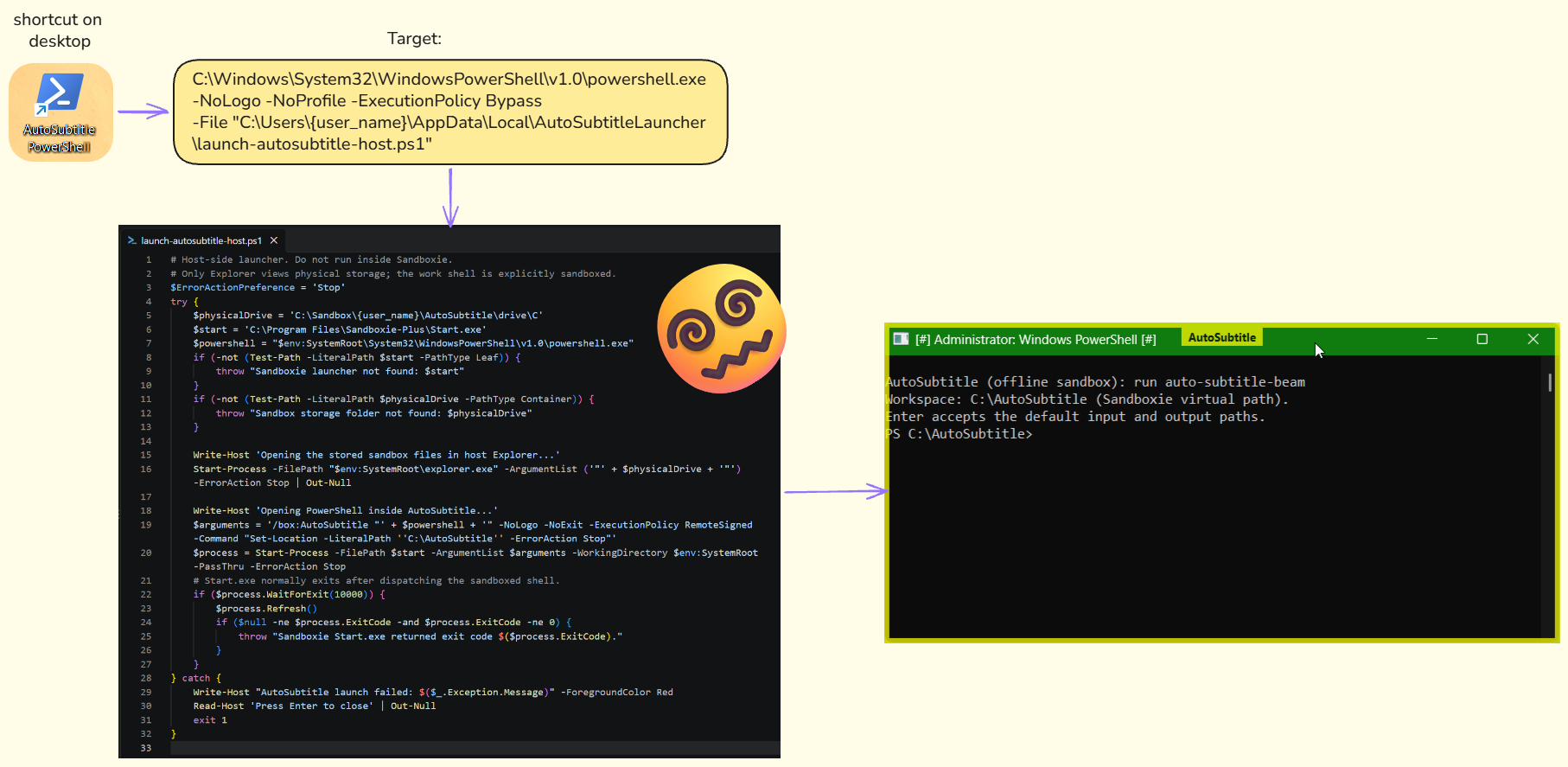
all that just to start PowerShell from within the sandbox -
Inside the sandbox,
auto-subtitle-beamlaunchesauto-subtitle-beam.cmd.@echo off "%~dp0..\python.exe" "%~dp0sandbox_auto_subtitle.py" %* -
The Python script runs interactively, so I must set (quite) some options.
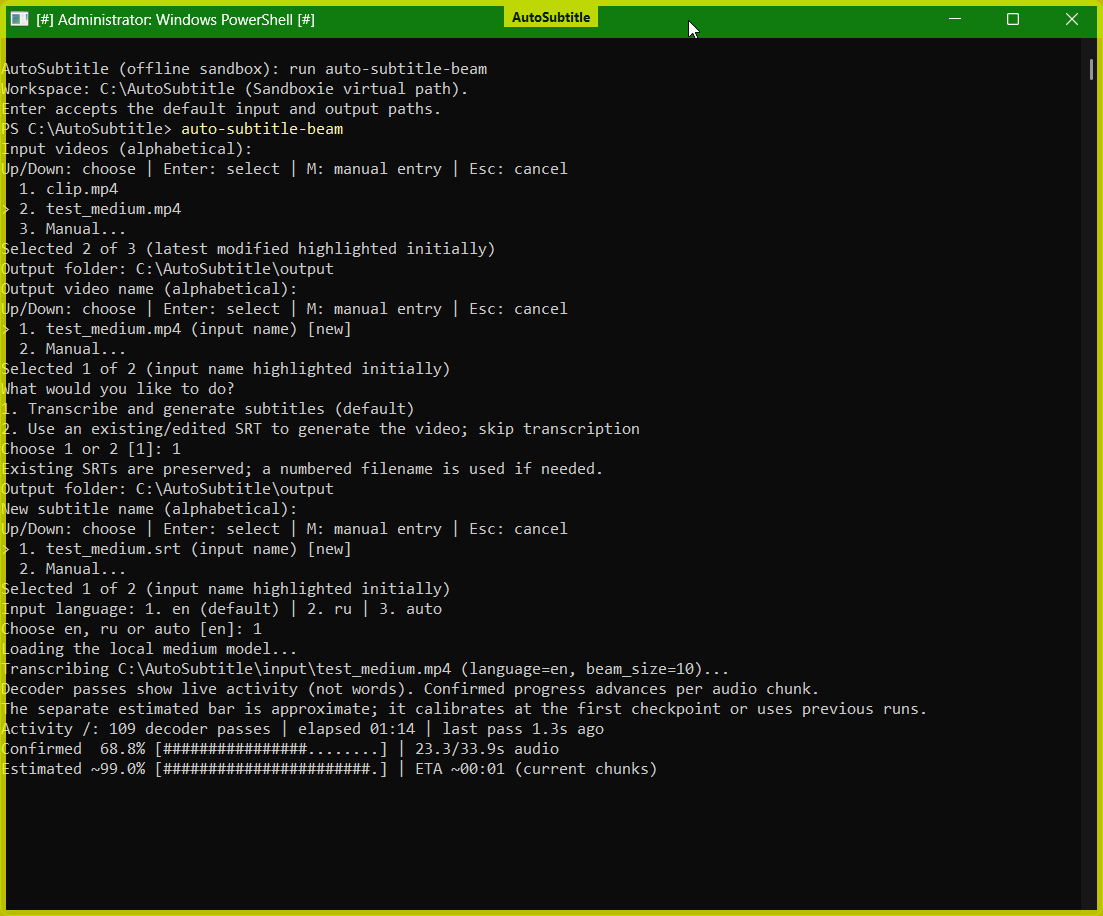
-
And once it's done, I have to open the sandbox file system to find the file. Sure, I've automated this step too, but yeah, all in all it felt unnecessarily complex.
At this point, I considered moving away from the auto-subtitle library and building an "independent" solution (sounds funny enough, given that most programming projects do have dependencies). Also, I wanted it to have a UI with as many predefined/saved settings as possible. The idea was to eliminate complexity from my workflow, which usually reads as "well, under the hood it'll still be complex enough, pal".
Rolling up the sleeves
Long story short, I made and open-sourced it under the MIT license: https://github.com/nikpushkarski/local-caption
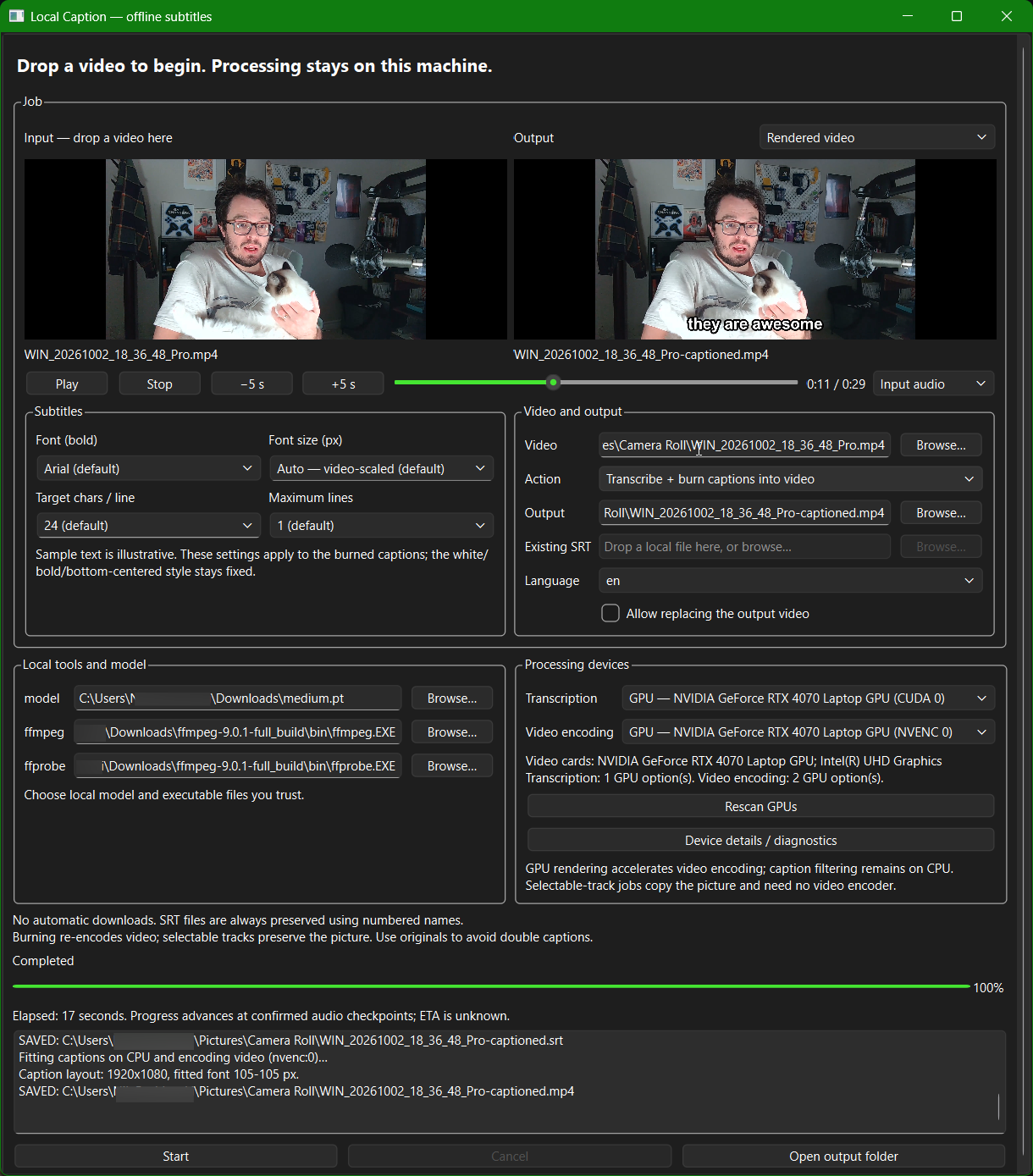
The app is written in Python, with Qt serving the GUI, OpenAI's Whisper generating the subtitles, and FFmpeg burning them into the processed video. Everything runs locally, with no accounts, API calls, telemetry, and other bullshit.
What's important is that processing can be faster than in my previous setup. This is because that library did transcription exclusively on the CPU, whereas my app added...
GPU support for transcription
-
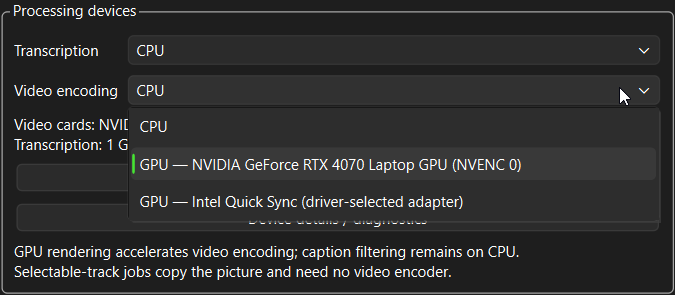
Whisper transcription can use NVIDIA CUDA. At launch, the app runs small GPU computations as a check. Next, it forms the correct dropdown with actually available devices:
hardware.pywith torch.cuda.device(index), torch.inference_mode(): # Execute kernels, not just enumerate a driver-visible device. sample = torch.ones((32, 32), device=device, dtype=torch.float16) result = sample @ sample spectrum = torch.fft.rfft(torch.ones(400, device=device)) torch.cuda.synchronize(index) if not torch.isfinite(result).all().item() or not torch.isfinite(spectrum).all().item(): raise RuntimeError("GPU computation returned non-finite values") props = torch.cuda.get_device_properties(index) free, total = torch.cuda.mem_get_info(index) choices.append({"id": device, "label": f"GPU — {props.name} (CUDA {index})", "detail": f"{free / 2**30:.1f} GiB free / {total / 2**30:.1f} GiB total VRAM; CUDA kernels passed. Model fit is not guaranteed."}) del sample, result, spectrum torch.cuda.empty_cache()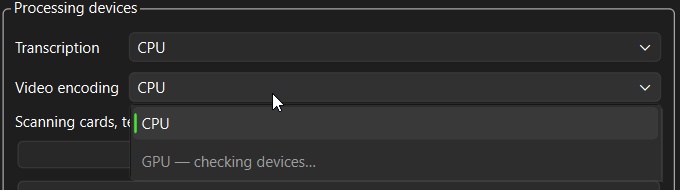
-
Caption layout and drawing still run on CPU.
An NVIDIA card isn't mandatory: CPU processing remains available. If a selected GPU becomes unavailable or runs out of memory, the app reports the problem and asks the user to choose CPU or another configuration rather than silently changing devices. Slower, but it works! The usual tradeoff in system design; nothing groundbreaking here.
Caption generation à la carte
The app uses a Whisper model (the model size depends on what the end-user chooses to download) to transcribe the audio. Each Whisper model is multilingual, so the app isn't strictly bilingual like this site.
The process result isn't opinionated; the user defines it: burned-in captions, an SRT file only, or switchable subtitles.
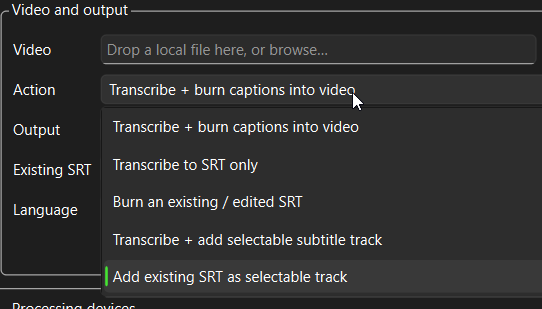
But! The pacing is opinionated: the tool was meant to prepare videos for social media, so the words change relatively fast. The idea was to follow the speech as closely as possible so that the video with burned-in subs could be watched without sound. To achieve this, the caption splitter uses word timestamps, size limits, duration, pauses, and punctuation.
captions.py
MAX_CAPTION_WORDS = 4
MAX_CAPTION_CHARS = 24
MAX_CAPTION_SECONDS = 1.5
CAPTION_PAUSE_SECONDS = 0.35
MIN_RENDER_CAPTION_SECONDS = 0.2

# ...

if chunk and (
    len(text(chunk + [word]).split()) > word_budget
    or len(text(chunk + [word])) > style.chars_per_line * style.max_lines
    or float(word["end"]) - float(chunk[0]["start"]) > MAX_CAPTION_SECONDS
    or float(word["start"]) - float(chunk[-1]["end"]) > CAPTION_PAUSE_SECONDS
):
    flush()
chunk.append(word)
if word["word"].rstrip().endswith((".", "!", "?", ",", ";", ":")):
    flush()
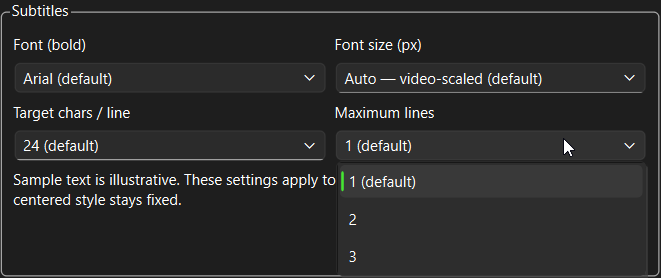
The defaults target short cues, with a 1.5-second duration threshold and splitting across pauses longer than 0.35 seconds; individual long words are preserved. Font and font size control the appearance of burned-in captions. Line-width and line-count settings also shape the generated SRT; when displaying an SRT or a selectable subtitle track, the video player chooses the font and size.
Windows-only?
As of now, yes. Worry not, the divine fatum already obliged me to speed up the rollout for macOS and an OS-agnostic, programmatic approach.
The repository on GH: https://github.com/nikpushkarski/local-caption
Download page: https://github.com/nikpushkarski/local-caption/releases
Choose the CPU edition unless you need NVIDIA-accelerated transcription. Both editions can use supported hardware video encoders.